
|
Ribbon 'File' system button unreadable (windows11) |
Post Reply 
|
| Author | |
Harm Bakker 
Groupie 

Joined: 17 June 2008 Location: Netherlands Status: Offline Points: 20 |
 Post Options Post Options
 Thanks(0) Thanks(0)
 Quote Reply Quote Reply
 Topic: Ribbon 'File' system button unreadable (windows11) Topic: Ribbon 'File' system button unreadable (windows11)Posted: 25 January 2026 at 5:40pm |
|
In the 24.3 release, we encounter the following problem.
In the Window11 dark mode, the 'File' (SystemButton) entry ribbon in the CommandBars is unreadable, because it has black text, on a dark background. See the image. 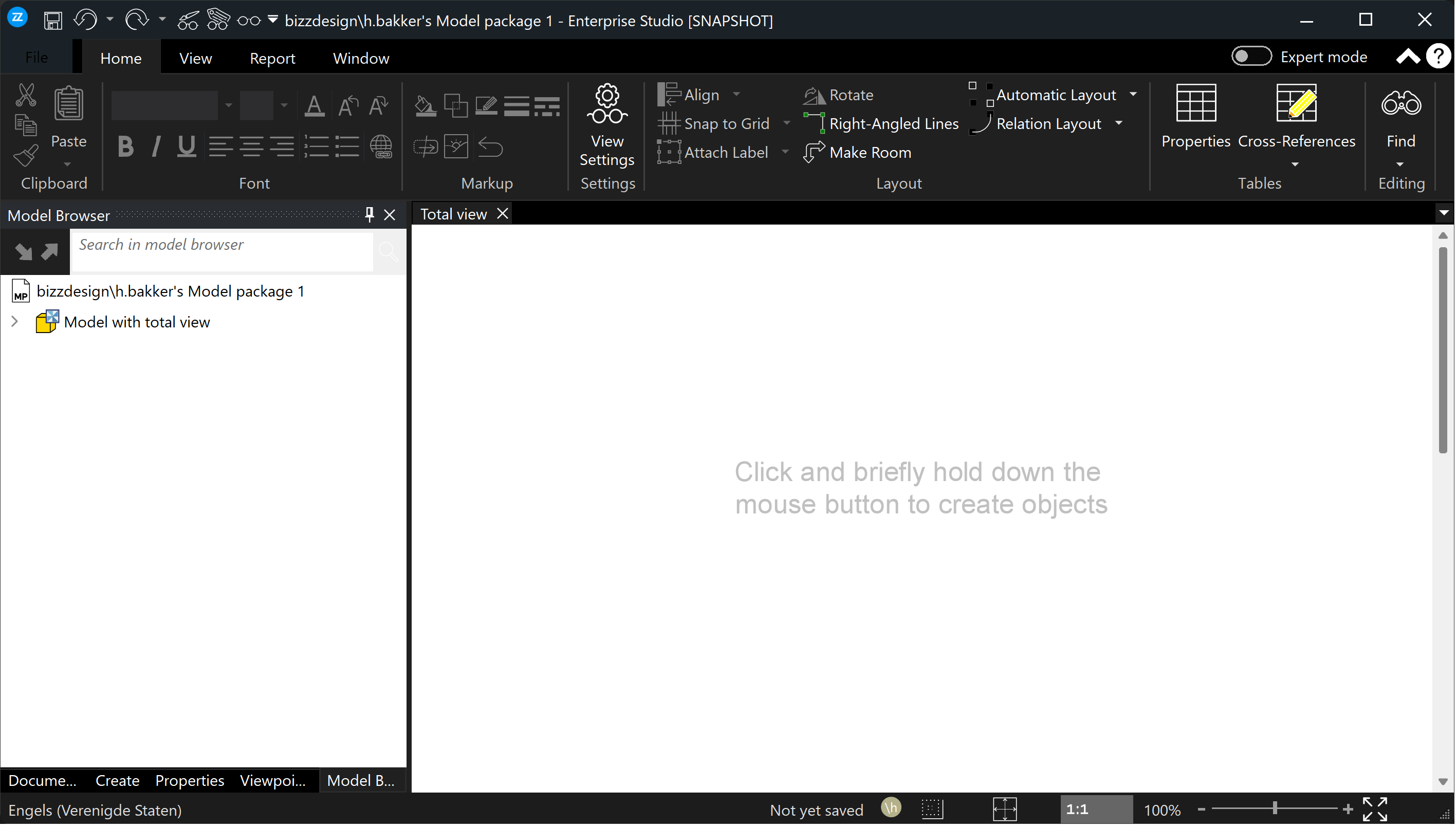 I've been looking and debugging for a day, to see if I could solve this by setting the text color to a different value, but no luck so far. All of the PaintManager settings are being read from the resource files, in this case, the Windows11.dll. And because this resource Windows11.dll is in fact a binary resource dll, it can only be changed/fixed by CodeJock. So, my question/request is: can someone from CodeJock fix this problem, and deliver a patched Windows11.dll, in which the text color of the File / SystemButton (in dark mode) is correct? |
|
 |
|
|
Harm Bakker
Groupie
Joined: 17 June 2008 Location: Netherlands Status: Offline Points: 20 |
Post Options
Thanks(0)
Quote Reply
Posted: 9 hours 52 minutes ago at 8:30am |
|
I've spent some more debugging on this problem, the 'File' system menu button being unreadable in the Windows11 dark theme. And while stepping through XTPFrameThemeNativeWindows11.cpp code, I saw that it uses the 'Ambient Property' feature to determine the accent color and text color.
Using that feature, I now have a workaround for the dark text of 'File' menu entry: In our main application file, I do this: BOOL bUseSystemAccent = FALSE; CString iniFile; switch (getGUITheme()) { case ID_THEME_BLACK2016: iniFile = xtpIniOffice2016WordBlack; break; case ID_THEME_GRAY2016: iniFile = xtpIniOffice2016WordDarkGray; break; case ID_THEME_WHITE2016: iniFile = xtpIniOffice2016WordWhite; break; case ID_THEME_WINDOWS11_LIGHT: iniFile = xtpIniWindows11Light; break; case ID_THEME_WINDOWS11_DARK: iniFile = xtpIniWindows11Dark; bUseSystemAccent = TRUE; break; case ID_THEME_BLUE2016: default: iniFile = xtpIniOffice2016WordColorful; break; } .... Followed a few lines later by this: if (bUseSystemAccent) { XTPGetApplication()->SetAmbientProperty(xtpApplicationAccentColor, static_cast<long>(RGB(50, 50, 50))); XTPGetApplication()->SetAmbientProperty(xtpApplicationUseSystemAccentColor, static_cast<long>(TRUE)); } The result is that the 'File' menu button is now shown correctly with white text on dark background, in the upper left: 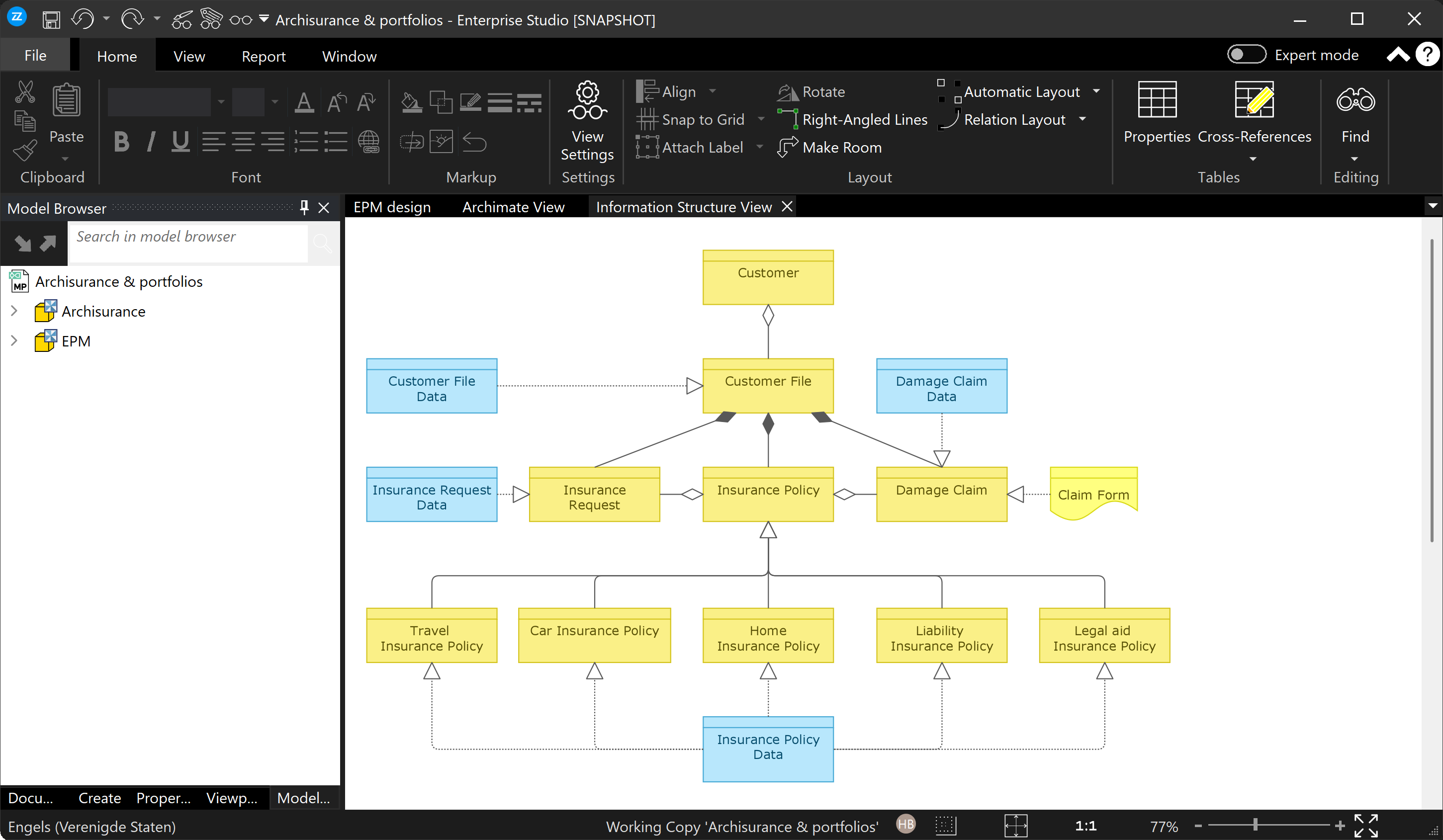 |
|
|
|
|
Post Reply
|
|
 Tweet
Tweet
|
| Forum Jump | Forum Permissions You cannot post new topics in this forum You cannot reply to topics in this forum You cannot delete your posts in this forum You cannot edit your posts in this forum You cannot create polls in this forum You cannot vote in polls in this forum |


 Topic Options