Ribbon 'File' system button unreadable (windows11)
Printed From: Codejock Forums
Category: Codejock Products
Forum Name: Toolkit Pro
Forum Description: Topics Related to Codejock Toolkit Pro
URL: http://forum.codejock.com/forum_posts.asp?TID=24623
Printed Date: 27 September 2026 at 6:44pm
Software Version: Web Wiz Forums 12.04 - http://www.webwizforums.com
Topic: Ribbon 'File' system button unreadable (windows11)
Posted By: Harm Bakker
Subject: Ribbon 'File' system button unreadable (windows11)
Date Posted: 25 January 2026 at 5:40pm
|
In the 24.3 release, we encounter the following problem. In the Window11 dark mode, the 'File' (SystemButton) entry ribbon in the CommandBars is unreadable, because it has black text, on a dark background. See the image. 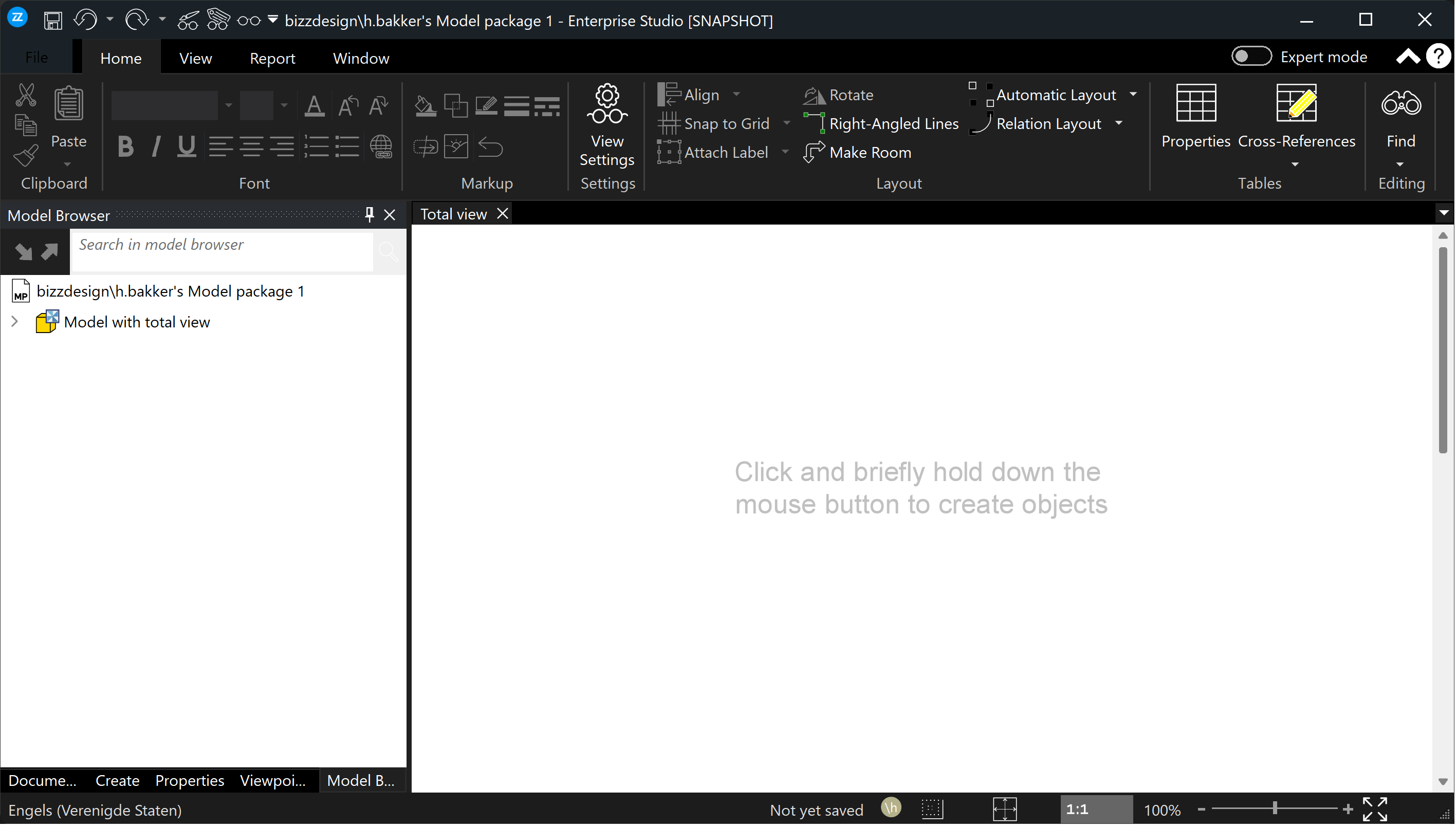 I've been looking and debugging for a day, to see if I could solve this by setting the text color to a different value, but no luck so far. All of the PaintManager settings are being read from the resource files, in this case, the Windows11.dll. And because this resource Windows11.dll is in fact a binary resource dll, it can only be changed/fixed by CodeJock. So, my question/request is: can someone from CodeJock fix this problem, and deliver a patched Windows11.dll, in which the text color of the File / SystemButton (in dark mode) is correct? |
Replies:
Posted By: Harm Bakker
Date Posted: 27 January 2026 at 8:30am
|
I've spent some more debugging on this problem, the 'File' system menu button being unreadable in the Windows11 dark theme. And while stepping through XTPFrameThemeNativeWindows11.cpp code, I saw that it uses the 'Ambient Property' feature to determine the accent color and text color. Using that feature, I now have a workaround for the dark text of 'File' menu entry: In our main application file, I do this: BOOL bUseSystemAccent = FALSE; CString iniFile; switch (getGUITheme()) { case ID_THEME_BLACK2016: iniFile = xtpIniOffice2016WordBlack; break; case ID_THEME_GRAY2016: iniFile = xtpIniOffice2016WordDarkGray; break; case ID_THEME_WHITE2016: iniFile = xtpIniOffice2016WordWhite; break; case ID_THEME_WINDOWS11_LIGHT: iniFile = xtpIniWindows11Light; break; case ID_THEME_WINDOWS11_DARK: iniFile = xtpIniWindows11Dark; bUseSystemAccent = TRUE; break; case ID_THEME_BLUE2016: default: iniFile = xtpIniOffice2016WordColorful; break; } .... Followed a few lines later by this: if (bUseSystemAccent) { XTPGetApplication()->SetAmbientProperty(xtpApplicationAccentColor, static_cast<long>(RGB(50, 50, 50))); XTPGetApplication()->SetAmbientProperty(xtpApplicationUseSystemAccentColor, static_cast<long>(TRUE)); } The result is that the 'File' menu button is now shown correctly with white text on dark background, in the upper left: 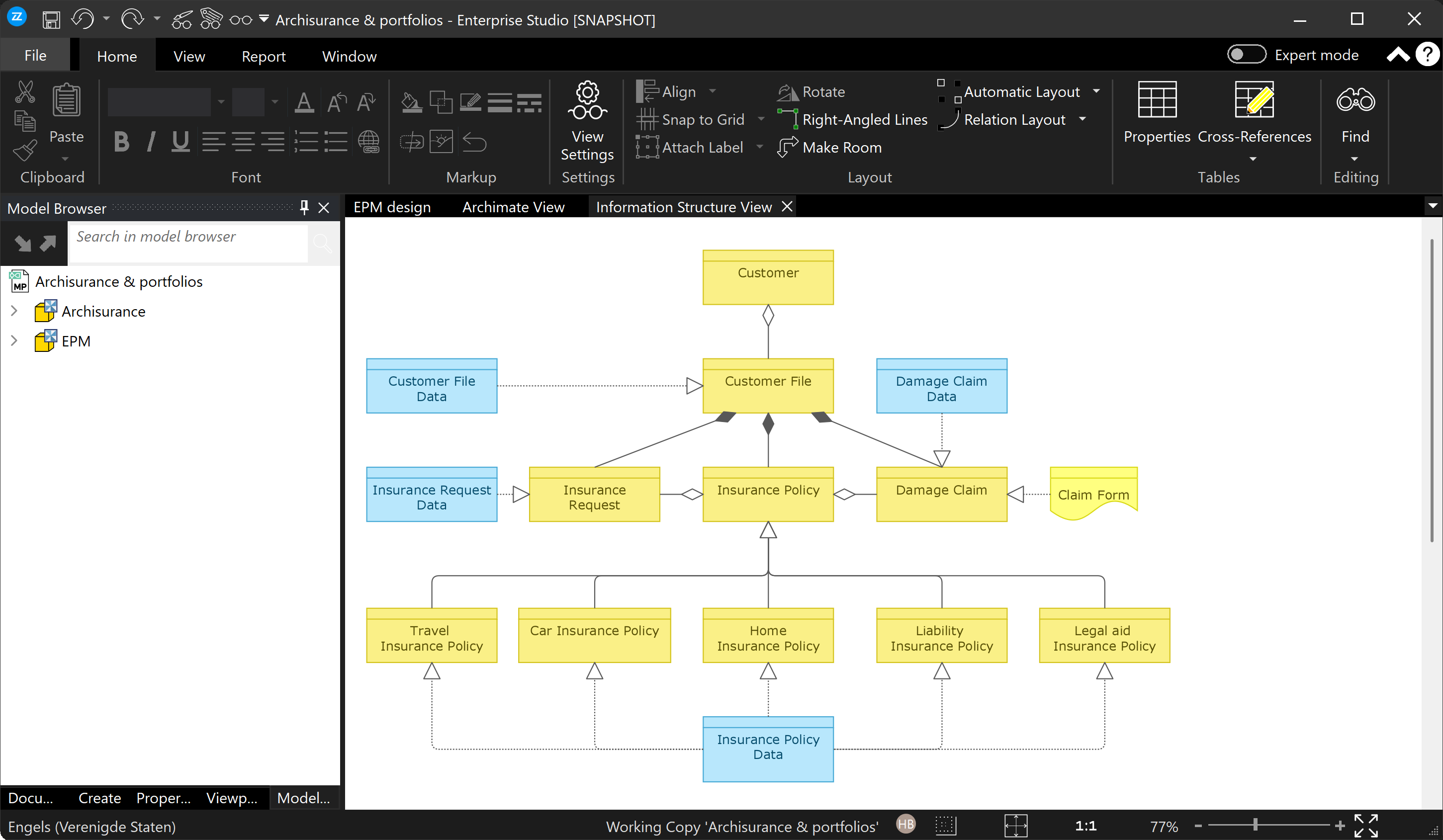 |
Posted By: agontarenko
Date Posted: 28 January 2026 at 9:10am
|
Hello, See please attached image, and use please "Use System Accent" option Regards, Artem Gontarenko 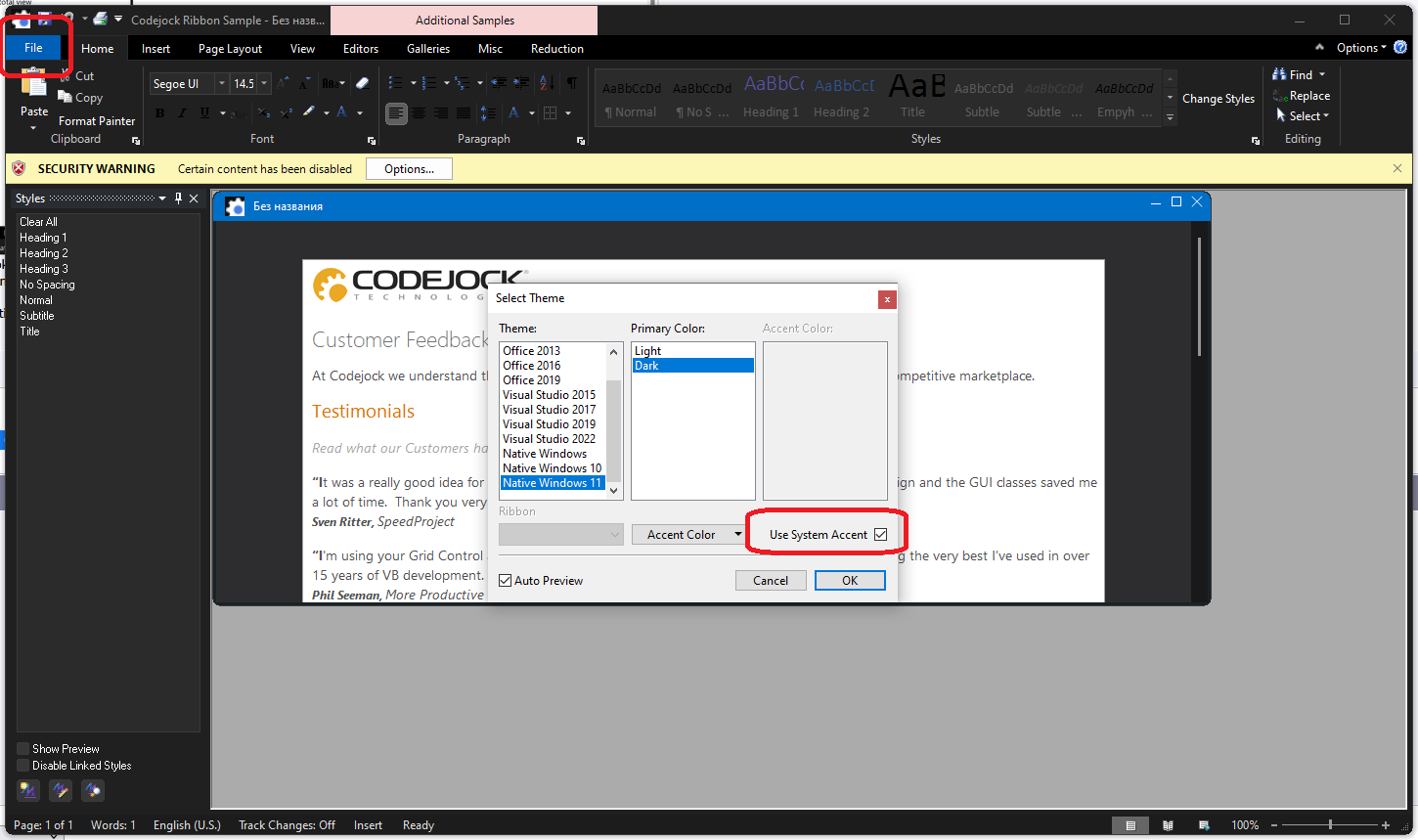 |
Posted By: Harm Bakker
Date Posted: 30 January 2026 at 3:21pm
|
Hello Artem, thanks for taking the time to respond. As you can see from my previous reply, I've indeed already found that kind of 'solution', using the ambient property with: XTPGetApplication()->SetAmbientProperty(xtpApplicationUseSystemAccentColor, static_cast<long>(TRUE)); And that works ok. Yet, a fix would be nice so that the default behavior of the library is also ok. Kind regards, Harm Bakker
|