
|
How to change the Header-Date-Format in MonthView? |
Post Reply 
|
| Author | |
Jebo 
Senior Member 
Joined: 27 October 2005 Location: Germany Status: Offline Points: 318 |
 Post Options Post Options
 Thanks(0) Thanks(0)
 Quote Reply Quote Reply
 Topic: How to change the Header-Date-Format in MonthView? Topic: How to change the Header-Date-Format in MonthView?Posted: 13 January 2009 at 8:23am |
|
Hi, I want to change the Header-Date-Format in MonthView to "dd MMM" (see screenshot at 22 Feb). But how can I do that?
I was trying: With cal.MonthView .DayHeaderFormatShort = "dd MMM" .DayHeaderFormatMiddle = "dd MMM" .DayHeaderFormatLong = "dd MMM" .DayHeaderFormatShortest = "dd MMM" End With ...but absolutly NOTHING will be changed. What do I wrong please?   |
|
 |
|
|
mdoubson
Senior Member

Joined: 17 November 2008 Status: Offline Points: 1705 |
Post Options
Thanks(0)
Quote Reply
Posted: 13 January 2009 at 12:26pm |
|
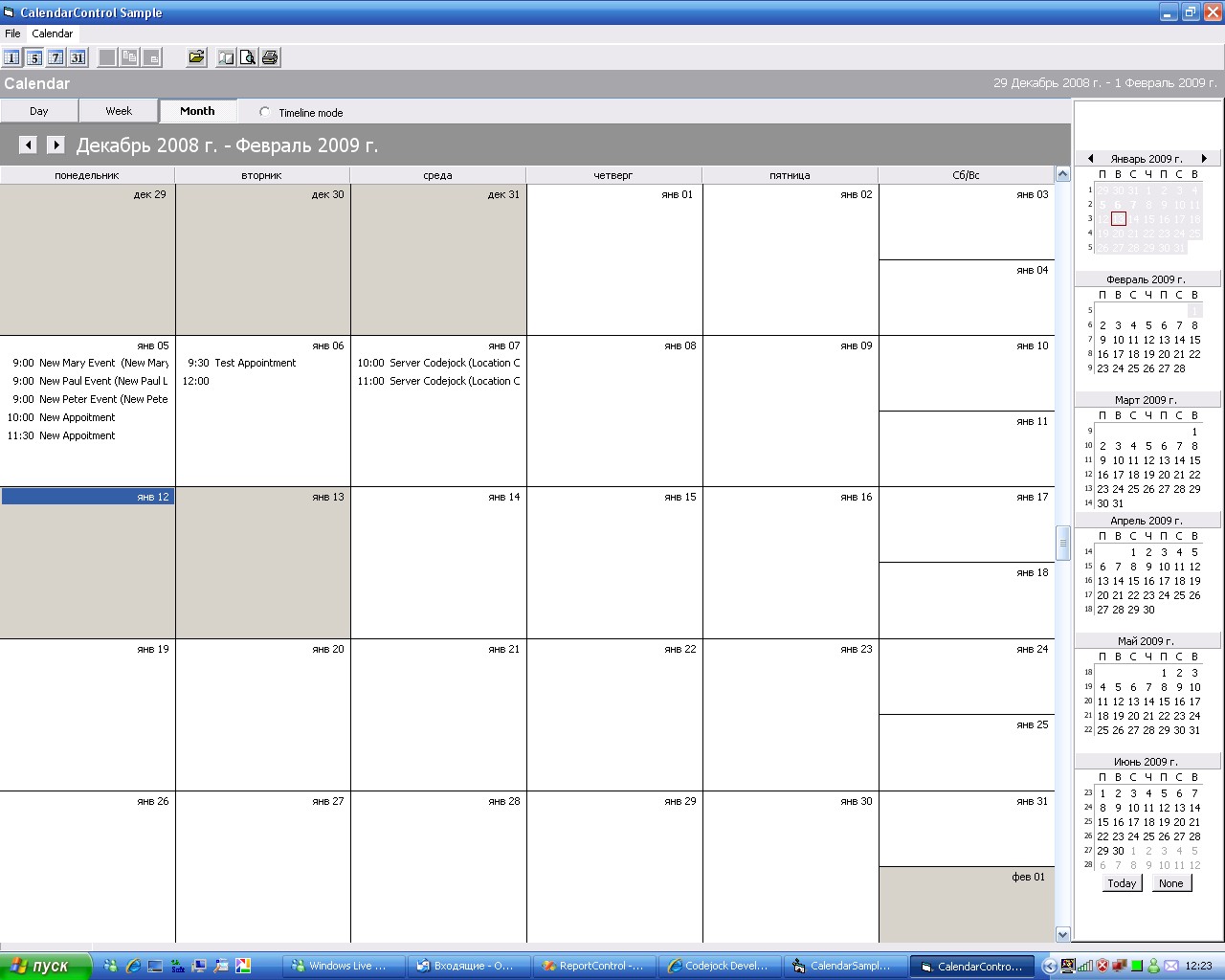
With CalendarControl.MonthView and Select Non Office2007 theme
|
|
|
|
|
Jebo
Senior Member
Joined: 27 October 2005 Location: Germany Status: Offline Points: 318 |
Post Options
Thanks(0)
Quote Reply
Posted: 13 January 2009 at 12:29pm |
|
Thx, but argh... ...I want it in Office07-Theme!
Is there no way to format the headers in Office07-Theme? ;-( |
|
|
|
|
mdoubson
Senior Member
Joined: 17 November 2008 Status: Offline Points: 1705 |
Post Options
Thanks(0)
Quote Reply
Posted: 13 January 2009 at 1:06pm |
|
In Office2007 theme settings take from locale - not from the user
CString strMonth = CXTPCalendarUtils::GetLocaleString(LOCALE_SABBREVMONTHNAME1 + nMonth - 1, 100); //LOCALE_IDATE - short date format ordering // 0 Month-Day-Year // 1 Day-Month-Year // 2 Year-Month-Day int nDateOrdering = CXTPCalendarUtils::GetLocaleLong(LOCALE_IDATE); if (nDateOrdering == 1)strTextLeft.Format(_T( "%d %s"), nDay, (LPCTSTR)strMonth); elsestrTextLeft.Format(_T("%s %d"), (LPCTSTR)strMonth, nDay);
|
|
|
|
|
mdoubson
Senior Member
Joined: 17 November 2008 Status: Offline Points: 1705 |
Post Options
Thanks(0)
Quote Reply
Posted: 13 January 2009 at 6:01pm |
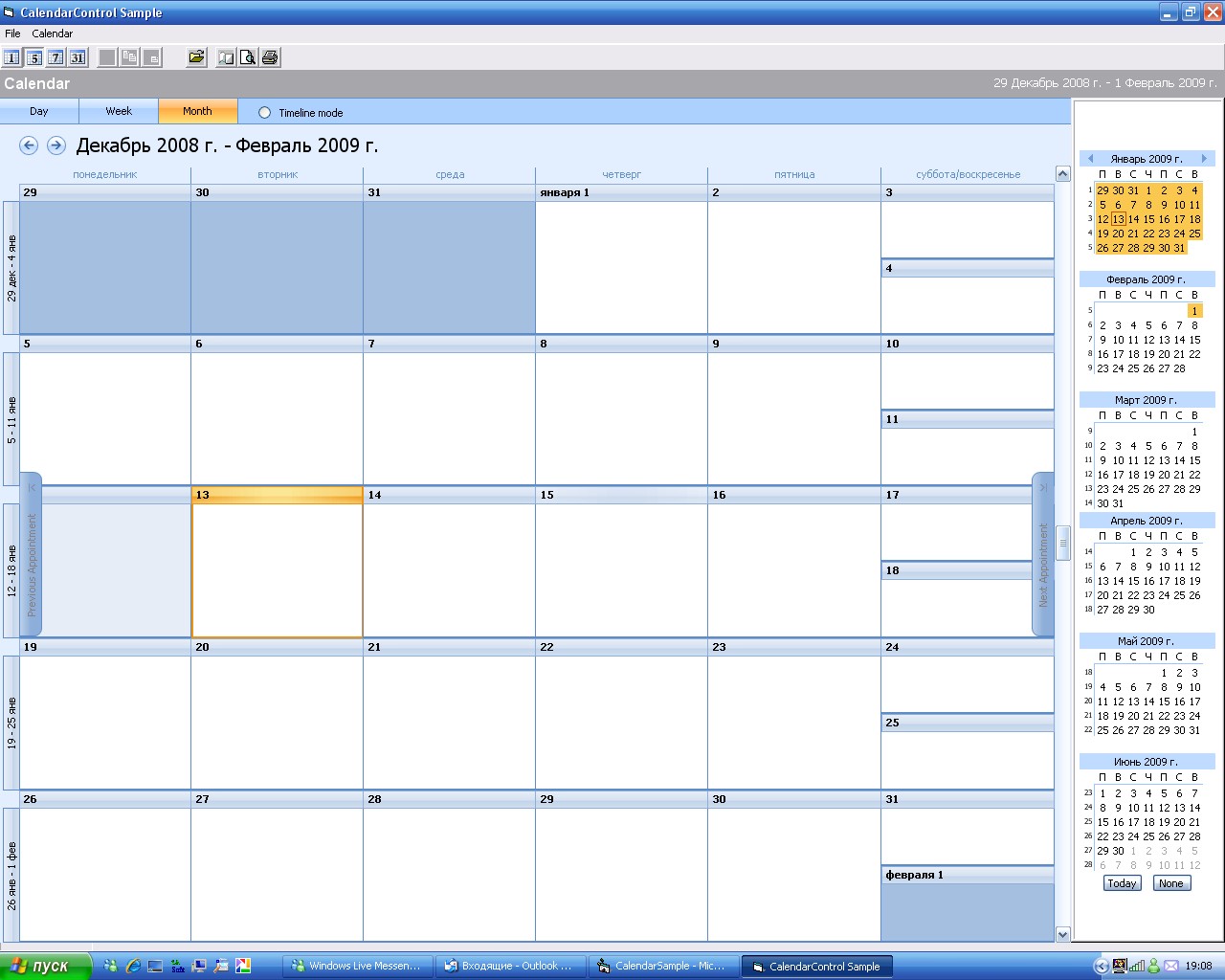 Well - I did it but this is different setting to change as it related to another mode. Well - I did it but this is different setting to change as it related to another mode.
In VB you need to call smth like
CalendarControl.SetLongDayHeaderFormat ("MMMM d")
and same time use your old code - related to Non-Office2007 mode With CalendarControl.MonthView
.DayHeaderFormatShort = "d" .DayHeaderFormatMiddle = "MMM d" .DayHeaderFormatLong = "MMMM d" .DayHeaderFormatShortest = "d" End With BE IN Release 13 SOON |
|
|
|
|
mdoubson
Senior Member
Joined: 17 November 2008 Status: Offline Points: 1705 |
Post Options
Thanks(0)
Quote Reply
Posted: 14 January 2009 at 4:09pm |
|
because this is different properties and user can have different formats for different themes
|
|
|
|
|
Post Reply
|
|
 Tweet
Tweet
|
| Forum Jump | Forum Permissions You cannot post new topics in this forum You cannot reply to topics in this forum You cannot delete your posts in this forum You cannot edit your posts in this forum You cannot create polls in this forum You cannot vote in polls in this forum |


 Topic Options
 Try this