
|
Docking Pane Layout |
Post Reply 
|
| Author | |
jcollier 
Senior Member 
Joined: 15 February 2006 Status: Offline Points: 250 |
 Post Options Post Options
 Thanks(0) Thanks(0)
 Quote Reply Quote Reply
 Topic: Docking Pane Layout Topic: Docking Pane LayoutPosted: 13 February 2008 at 12:28pm |
|
I'm sure this will be easy for someone but I'm having a brain cramp.
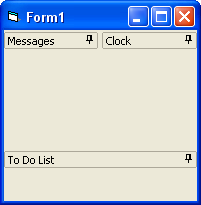
I want to have 3 panes on a mdi form. My form has a ribbonbar at the top and a statusbar at the bottom. I want the 3 panes to be layed out with Pane a and Pane b consuming the top left and top right quadrants of the screen, respectively. I want Pane c to consume the bottom half of the screen. Below is my code. I've tried creating pane c at DockBottomOf both a and b but it doesn't work. Any ideas? Dim a As Pane Dim b As Pane Dim c As Pane Set a = dockPane.CreatePane(PANE_MESSAGES, 100, 100, DockTopOf, Nothing) a.Title = "Messages" a.Options = PaneNoFloatable + PaneNoCloseable Set b = dockPane.CreatePane(PANE_CLOCK, 100, 100, DockRightOf, a) b.Title = "Clock" b.Options = PaneNoFloatable + PaneNoCloseable Set c = dockPane.CreatePane(PANE_TODOLIST, 100, 100, DockBottomOf, Nothing) c.Title = "To Do List" c.Options = PaneNoFloatable + PaneNoCloseable |
|
 |
|
|
Aaron
Senior Member

Joined: 29 January 2008 Status: Offline Points: 2192 |
Post Options
Thanks(0)
Quote Reply
Posted: 13 February 2008 at 1:20pm |
|
Hi, great code
 . It's working. Do you load the states of dockingpane? . It's working. Do you load the states of dockingpane?
 |
|
|
|
|
jcollier
Senior Member
Joined: 15 February 2006 Status: Offline Points: 250 |
Post Options
Thanks(0)
Quote Reply
Posted: 13 February 2008 at 1:32pm |
|
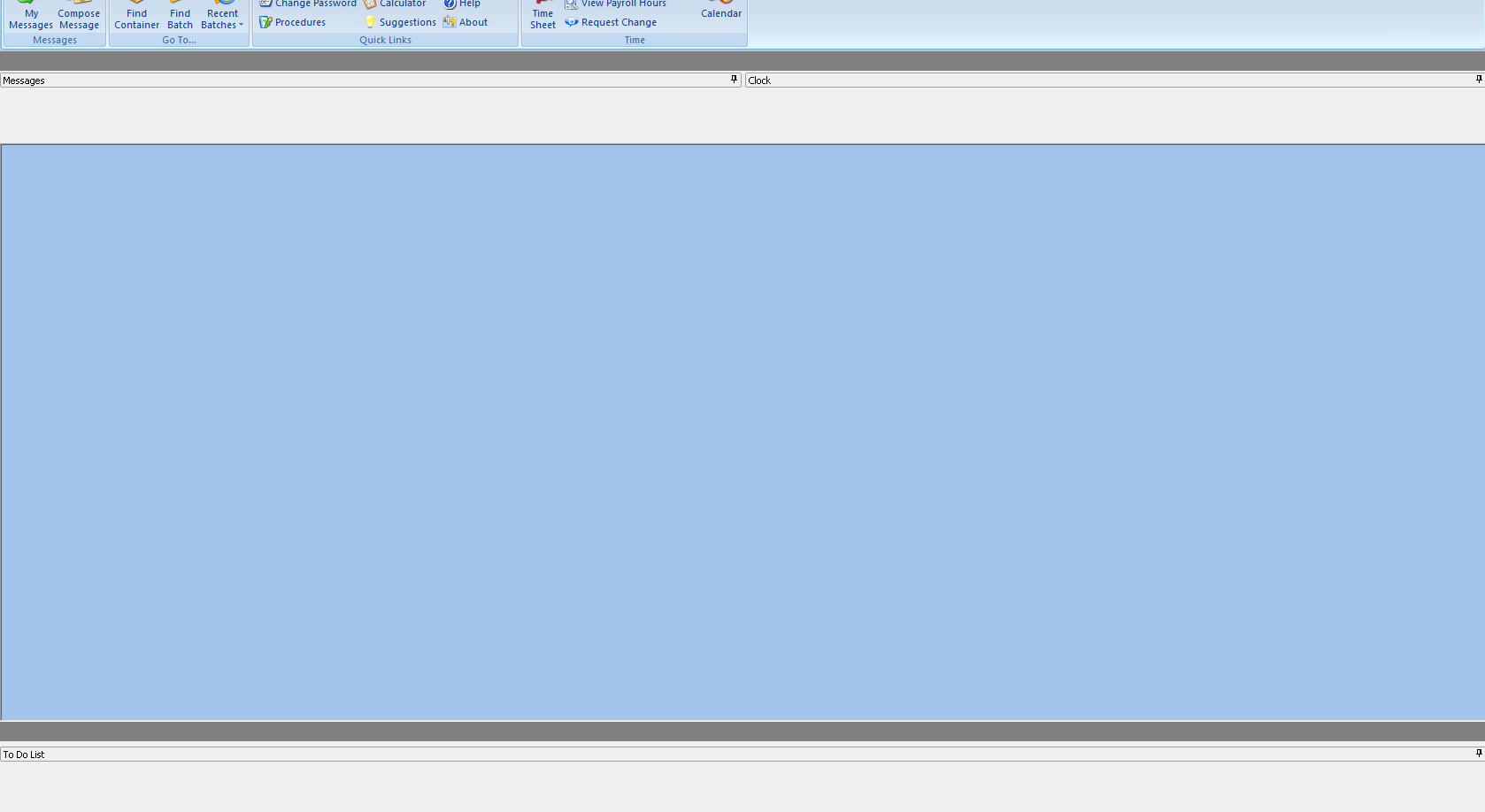
I did but I took them out. I have a screenshot but I can't figure out how to attach it to the post.
 |
|
|
|
|
Aaron
Senior Member
Joined: 29 January 2008 Status: Offline Points: 2192 |
Post Options
Thanks(0)
Quote Reply
Posted: 13 February 2008 at 2:11pm |
|
Hi,
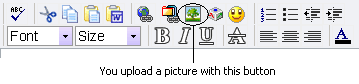
You have to upload a picture, see pic and then select the picture file on your PC.
 |
|
|
|
|
jcollier
Senior Member
Joined: 15 February 2006 Status: Offline Points: 250 |
Post Options
Thanks(0)
Quote Reply
Posted: 13 February 2008 at 2:42pm |
|
Ah! That button is not on the quick reply window. Thanks.
 |
|
|
|
|
Aaron
Senior Member
Joined: 29 January 2008 Status: Offline Points: 2192 |
Post Options
Thanks(0)
Quote Reply
Posted: 13 February 2008 at 4:22pm |
|
Is it the client area of DockingPane?
Try this: DockPane.Options.HideClient
And please loose the picture
 |
|
|
|
|
jcollier
Senior Member
Joined: 15 February 2006 Status: Offline Points: 250 |
Post Options
Thanks(0)
Quote Reply
Posted: 13 February 2008 at 4:46pm |
|
That's what I was missing! Thanks for the help.
|
|
|
|
|
Post Reply
|
|
 Tweet
Tweet
|
| Forum Jump | Forum Permissions You cannot post new topics in this forum You cannot reply to topics in this forum You cannot delete your posts in this forum You cannot edit your posts in this forum You cannot create polls in this forum You cannot vote in polls in this forum |


 Topic Options