Background of CXTPTabCtrl modification needed ...
Printed From: Codejock Forums
Category: Codejock Products
Forum Name: Toolkit Pro
Forum Description: Topics Related to Codejock Toolkit Pro
URL: http://forum.codejock.com/forum_posts.asp?TID=24619
Printed Date: 27 October 2026 at 7:26am
Software Version: Web Wiz Forums 12.04 - http://www.webwizforums.com
Topic: Background of CXTPTabCtrl modification needed ...
Posted By: kiroecke
Subject: Background of CXTPTabCtrl modification needed ...
Date Posted: 14 January 2026 at 5:30am
|
Hello, the background behind the tab-headers in my CXTPTabCtrl remains grey whatever I try. My last check was
The code was stepped through in the debugging, but the area remained grey. Any suggestions are welcome!  Best, Kai 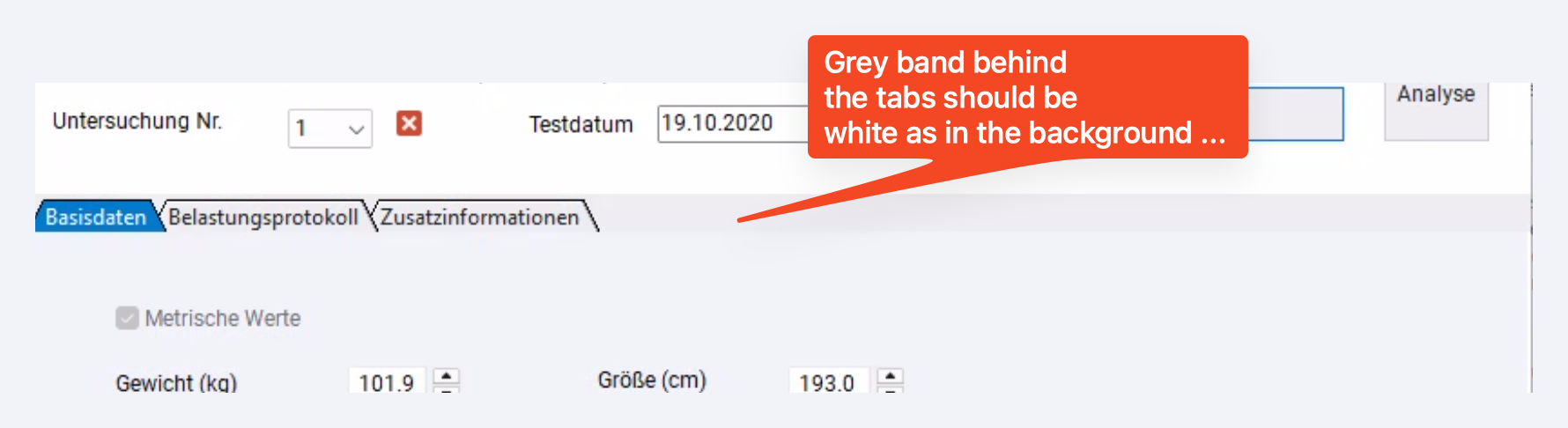 |
Replies:
Posted By: xsensordev
Date Posted: 18 March 2026 at 4:08pm
|
I'm going to assume a somewhat recent version of the Toolkit, and I'm guessing you're using the base theme for that control. Try setting a breakpoint in CXTPTabBaseTheme::FillHeader or any of the other FillHeader functions to see what's happening. By the way, that strip you want to fill is not distinguished from the tabs. You'd have to modify the FillHeader function (for whichever theme is being applied) to perform your own painting of the strip. |
Posted By: kiroecke
Date Posted: 19 March 2026 at 3:40am
|
Hello, thank you so much for your help. Anyways, the mentioned ::FillHeader() function is protected and can't be invoked by user code. And, yes, I'm using v24.3.0 of Toolkit Pro. Any further help is highly appreciated! Best regards, K. 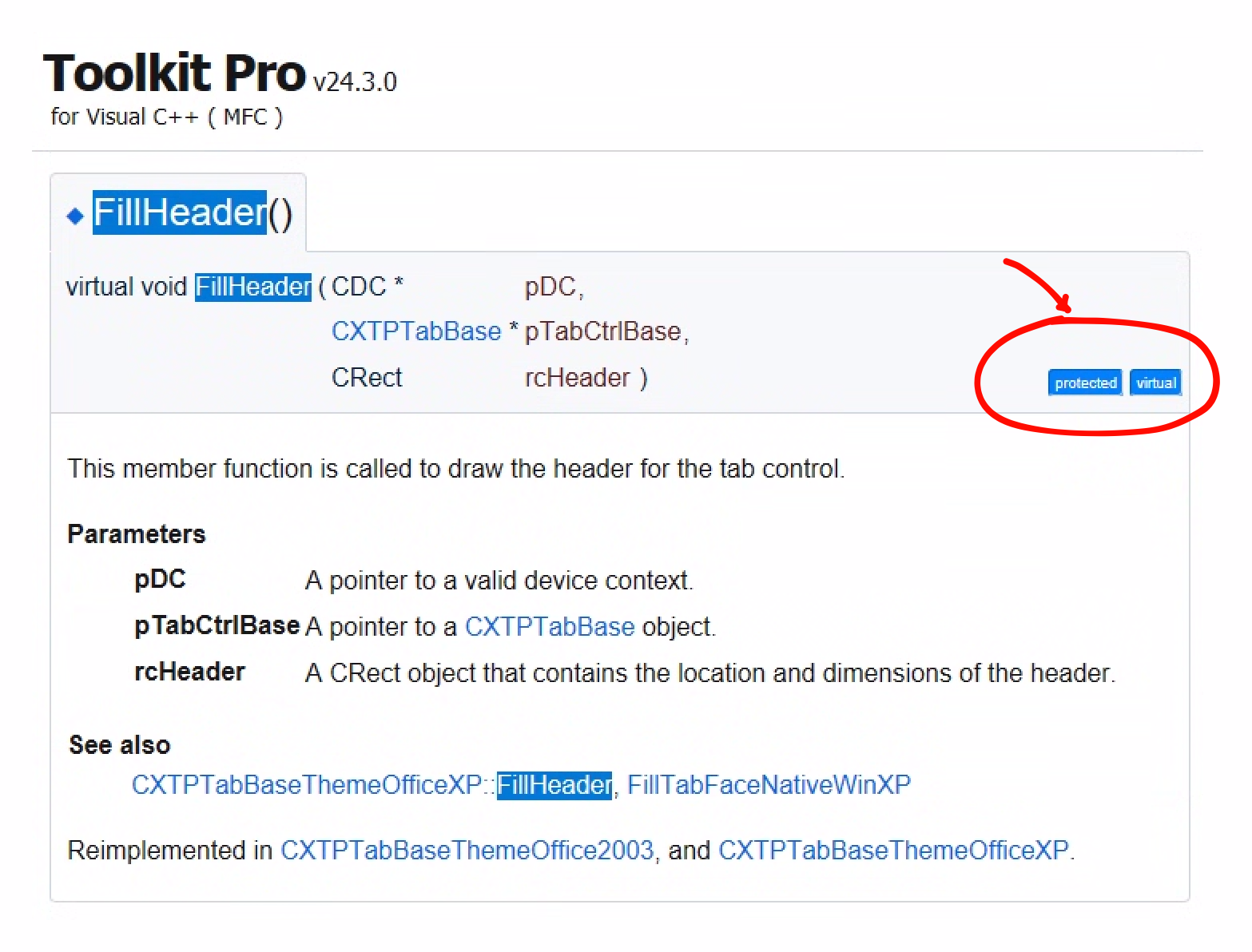 |
Posted By: xsensordev
Date Posted: 19 March 2026 at 12:38pm
|
My solution to Toolkit protected code was to realize I didn't need anyone's permission to modify that code directly. I modify their code as I need and rebuild the DLL or static lib. I track my changes so that I can reapply them as new Toolkit versions come out. For example,
|
Posted By: xsensordev
Date Posted: 19 March 2026 at 12:41pm
Here's a visual of that Office2016 tab. |
Posted By: xsensordev
Date Posted: 23 March 2026 at 1:15pm
Just to follow up. Here's my FillHeader modified to set the background to a "debug" color: And here's the simple code to do this:  |
Posted By: kiroecke
Date Posted: 23 March 2026 at 3:52pm
|
That's really cool! Thank you much I used your information to subclass my own ColorSet as it follows:
and then
The result is exactly what I wanted.
|
Posted By: xsensordev
Date Posted: 23 March 2026 at 3:59pm
| Glad you got it working! |