Preview control BackColor stays white
Printed From: Codejock Forums
Category: Codejock Products
Forum Name: Controls
Forum Description: Topics Related to Codejock Controls
URL: http://forum.codejock.com/forum_posts.asp?TID=24604
Printed Date: 22 October 2026 at 4:43am
Software Version: Web Wiz Forums 12.04 - http://www.webwizforums.com
Topic: Preview control BackColor stays white
Posted By: Norika
Subject: Preview control BackColor stays white
Date Posted: 22 September 2025 at 6:40am
|
Hello, I am using Codejock SuiteX (SuiteControls), and I am trying to change the BackColor property of the Preview control. However, no matter what value I set, the background always stays white. IDE: Visual Basic 6.0 with SP6 Is there a known issue with the Preview control’s BackColor property, or is there an additional step required to make the background color change take effect? Thank you in advance for your help. |


Replies:
Posted By: agontarenko
Date Posted: 08 October 2025 at 6:43am
|
Posted By: agontarenko
Date Posted: 08 October 2025 at 6:44am
|
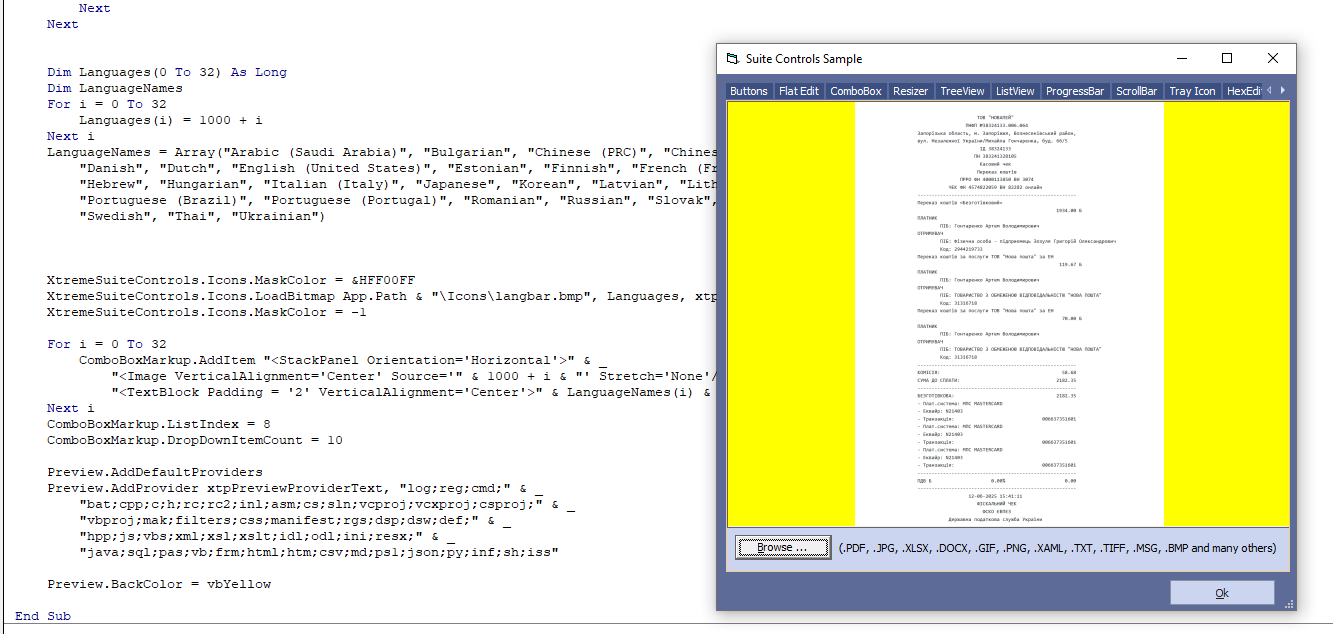
Hello, Try to use Preview.BackColor = vbYellow After this call result as on image Regards, Artem Gontarenko |
Posted By: agontarenko
Date Posted: 09 October 2025 at 5:14am
|
Hello, I'm glad to inform you that the issue has been addressed and fixed. The fix will be available in the next beta or final release. At now you can change color by VB6 options Artem Gontarenko |
Posted By: Norika
Date Posted: 26 February 2026 at 7:54pm
|
Dear Artem, Thank you for the update and for fixing the .BackColor issue in the December 31st release! I've confirmed that the background color now updates correctly. I have one follow-up question below, regarding the Preview control. I want to make sure the control is completely reset and the memory is cleared before loading the next file. Best regards, Norika |