
|
Office2010 dark: disabled items are not readable |
Post Reply 
|
| Author | |
mgampi 
Senior Member 

Joined: 14 July 2003 Status: Offline Points: 1211 |
 Post Options Post Options
 Thanks(0) Thanks(0)
 Quote Reply Quote Reply
 Topic: Office2010 dark: disabled items are not readable Topic: Office2010 dark: disabled items are not readablePosted: 08 August 2025 at 6:18am |
|
Hi; Disabled items in office 2010 dark (black) theme are no longer readable in Version 24.2: 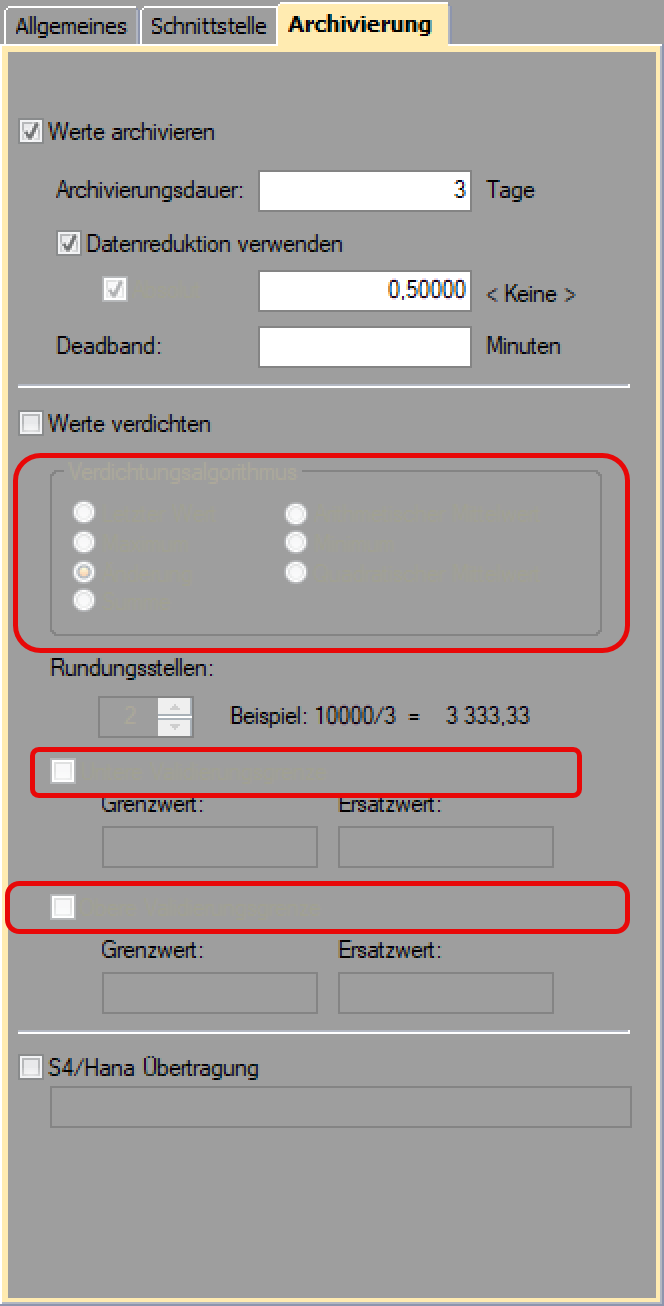 In version 19.1 evenrything has been drawn as expected and of course readable. How can we change the color of disabled text to a somehow lighter gray? TIA |
|
|
Martin Product: Xtreme Toolkit v 22.1.0, new Projects v 24.0.0 Platform: Windows 10 v 22H2 (64bit) Language: VC++ 2022 |
|
 |
|
|
mgampi
Senior Member
Joined: 14 July 2003 Status: Offline Points: 1211 |
Post Options
Thanks(0)
Quote Reply
Posted: 11 August 2025 at 10:38am |
|
No idea?
The same happens with disabled edit fields. |
|
|
Martin Product: Xtreme Toolkit v 22.1.0, new Projects v 24.0.0 Platform: Windows 10 v 22H2 (64bit) Language: VC++ 2022 |
|
|
|
|
agontarenko
Moderator Group 
Joined: 25 March 2016 Status: Offline Points: 342 |
Post Options
Thanks(0)
Quote Reply
Posted: 20 November 2025 at 4:09am |
|
Hello, I've tested checkbox control with Office 2010 black theme in RibbonSample (v24.2). I add this code for test and any problem has not found. All works as expected. m_chkPreview.SetCheck(TRUE); m_chkPreview.EnableWindow(FALSE); See please screenshot. May be you have another case. How I can reproduce this bug with our sample? Regards, Artem Gontarenko 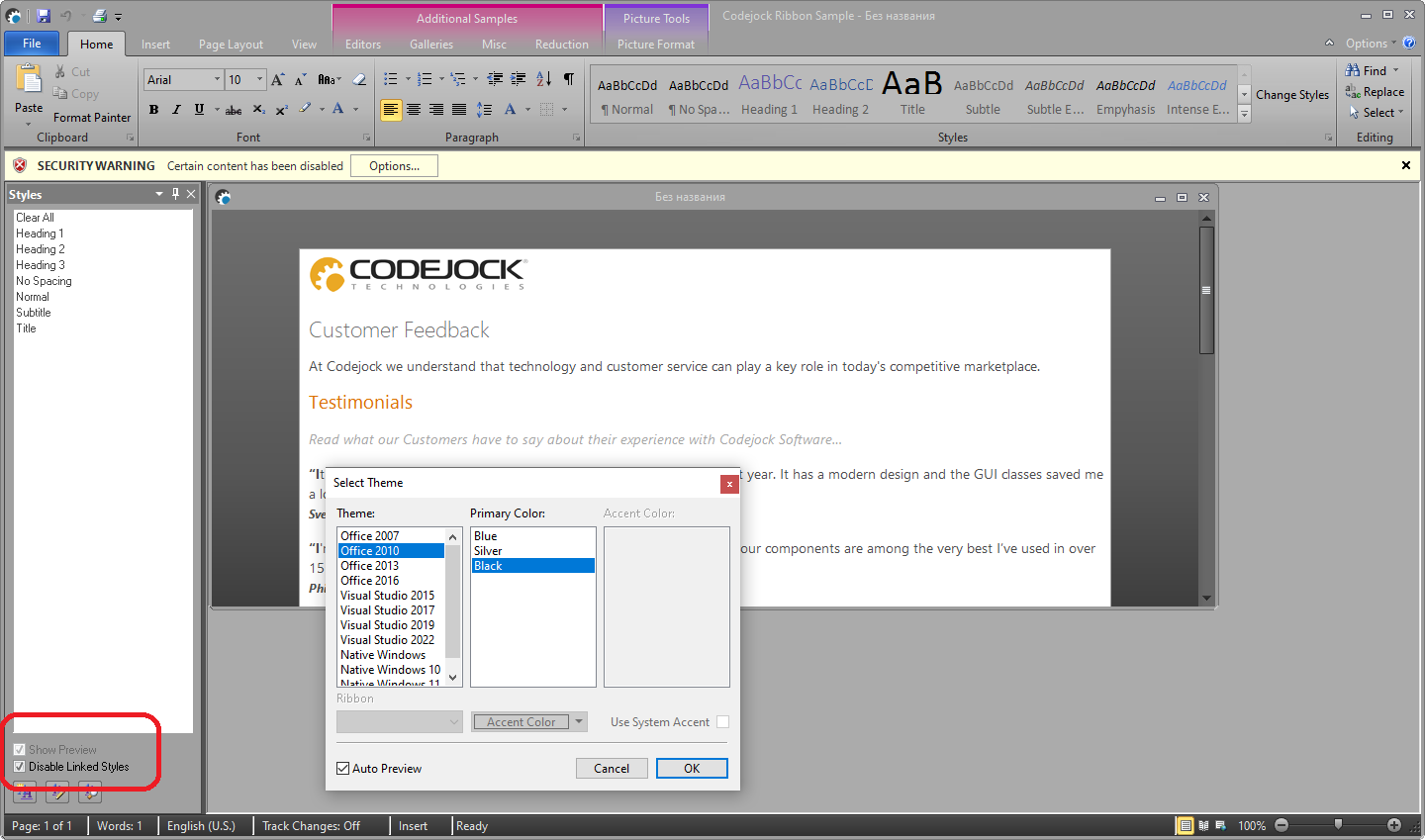 |
|
|
|
|
mgampi
Senior Member
Joined: 14 July 2003 Status: Offline Points: 1211 |
Post Options
Thanks(0)
Quote Reply
Posted: 9 hours 14 minutes ago at 7:02am |
|
Hi; In my case I have a CXTPResizeDialog based window (contained in an AFX extension DLL). Inside the dialog ressource I have a CXTPTabControl and a large toolbar (CXTPToolbar) on top. The tab control with three pages includes another three dialogs that are dynamically created and added to the three tab pages inOnInitDIalog of the parent dialog. That's all. With this scenario the disabled items within the child dialogs of the tab controls cannot be read - as shown in my initial screenshot. |
|
|
Martin Product: Xtreme Toolkit v 22.1.0, new Projects v 24.0.0 Platform: Windows 10 v 22H2 (64bit) Language: VC++ 2022 |
|
|
|
|
Post Reply
|
|
 Tweet
Tweet
|
| Forum Jump | Forum Permissions You cannot post new topics in this forum You cannot reply to topics in this forum You cannot delete your posts in this forum You cannot edit your posts in this forum You cannot create polls in this forum You cannot vote in polls in this forum |


 Topic Options